For Mac
The Message
William Branham’s sermons and the Bible, side by side. Read them, hear them, study them, and put the words on the screen on Sunday.
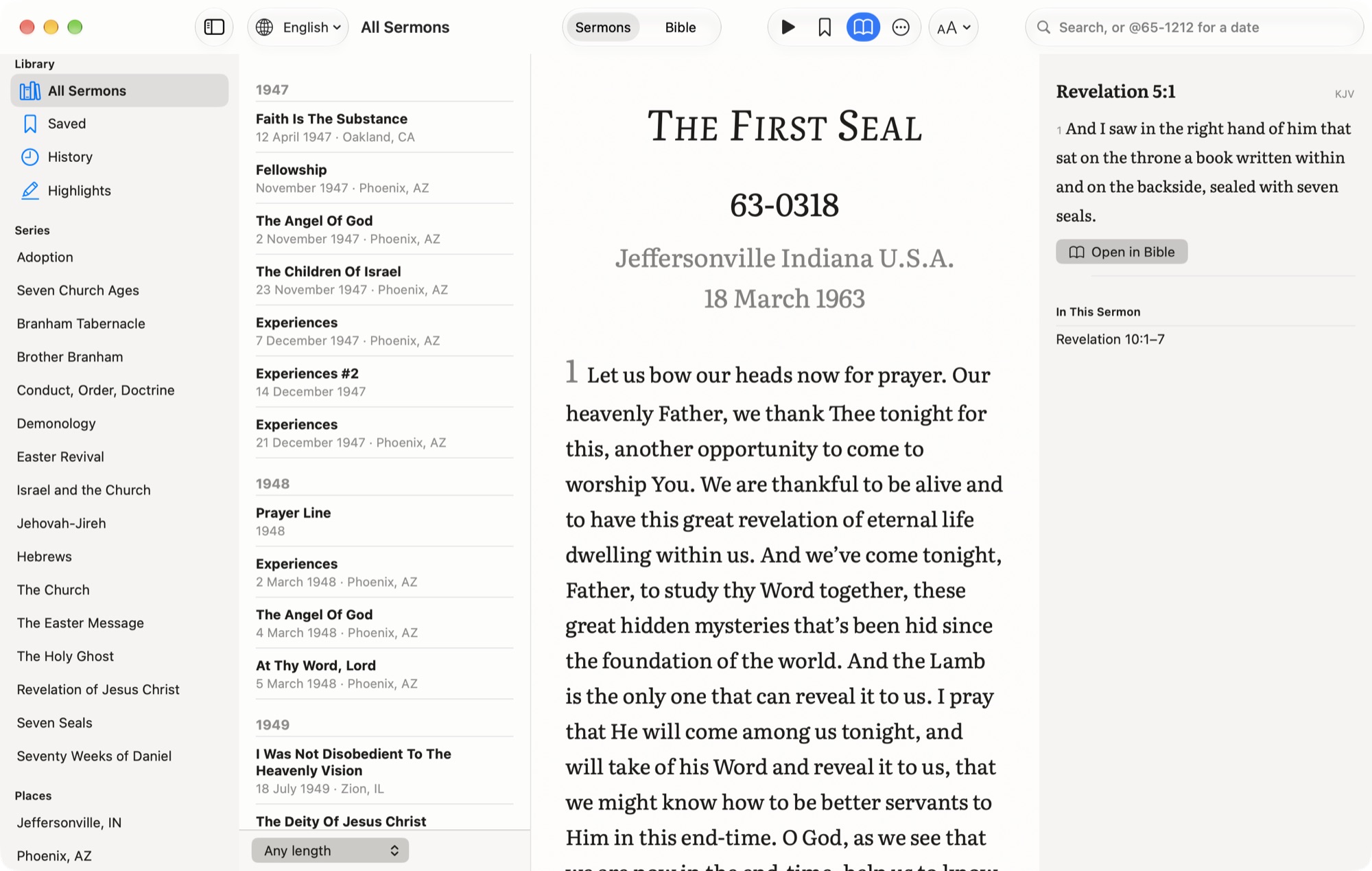
Sermons set like the printed books
More than 1,200 sermons, with transcripts in over 70 languages. Each one opens with its title, date code and place, then numbered paragraphs in a book face, so a page reads like the printed transcript.
- A sermon reopens at the paragraph you reached. ⌘J goes to any paragraph.
- Listen from where you stopped, at 0.75× to 2×, with a sleep timer and the Mac’s media keys.
- Highlight words in six colours, add a note, and copy a quote with its source.
- Save a sermon to read it without a connection.
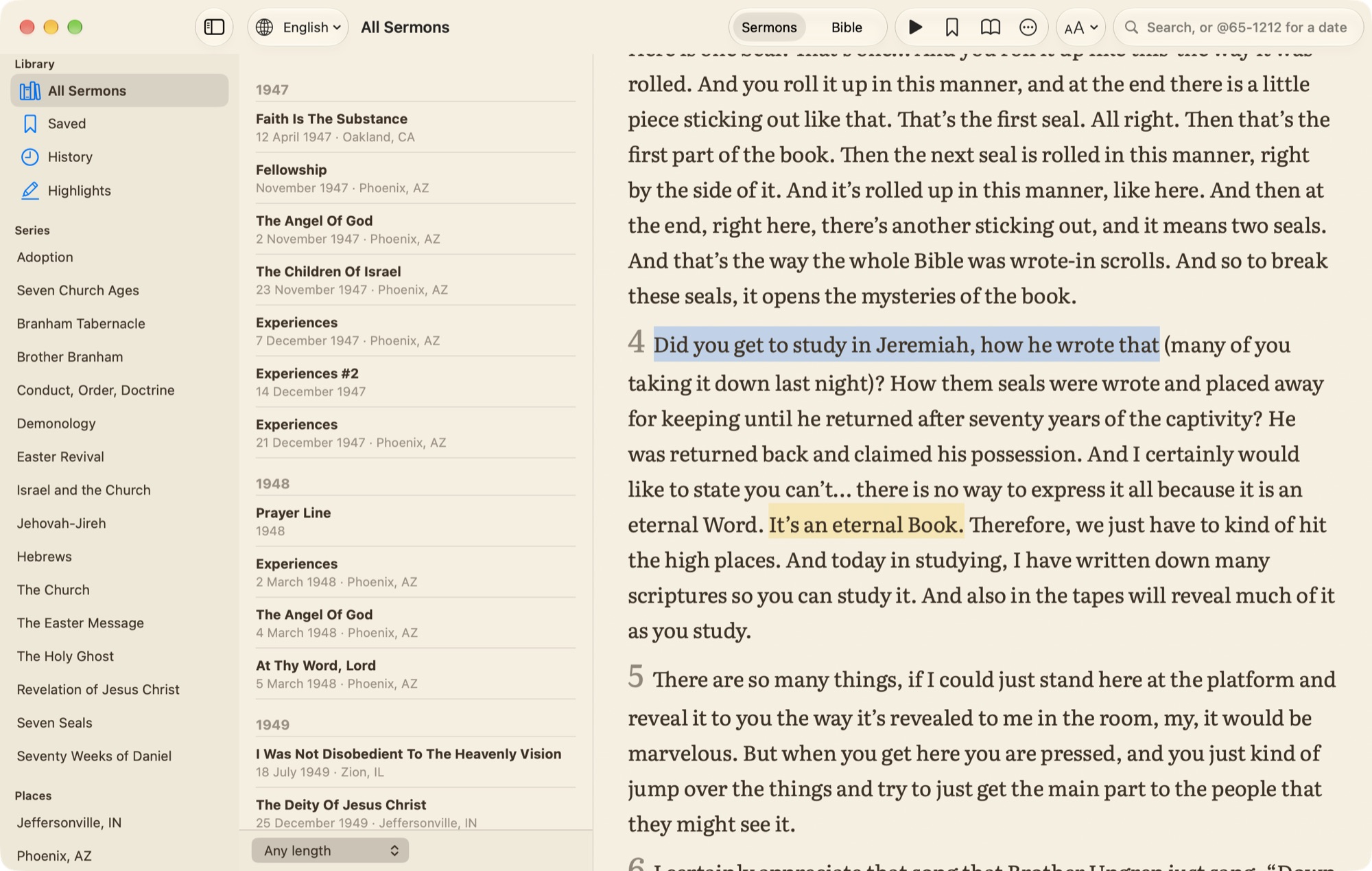
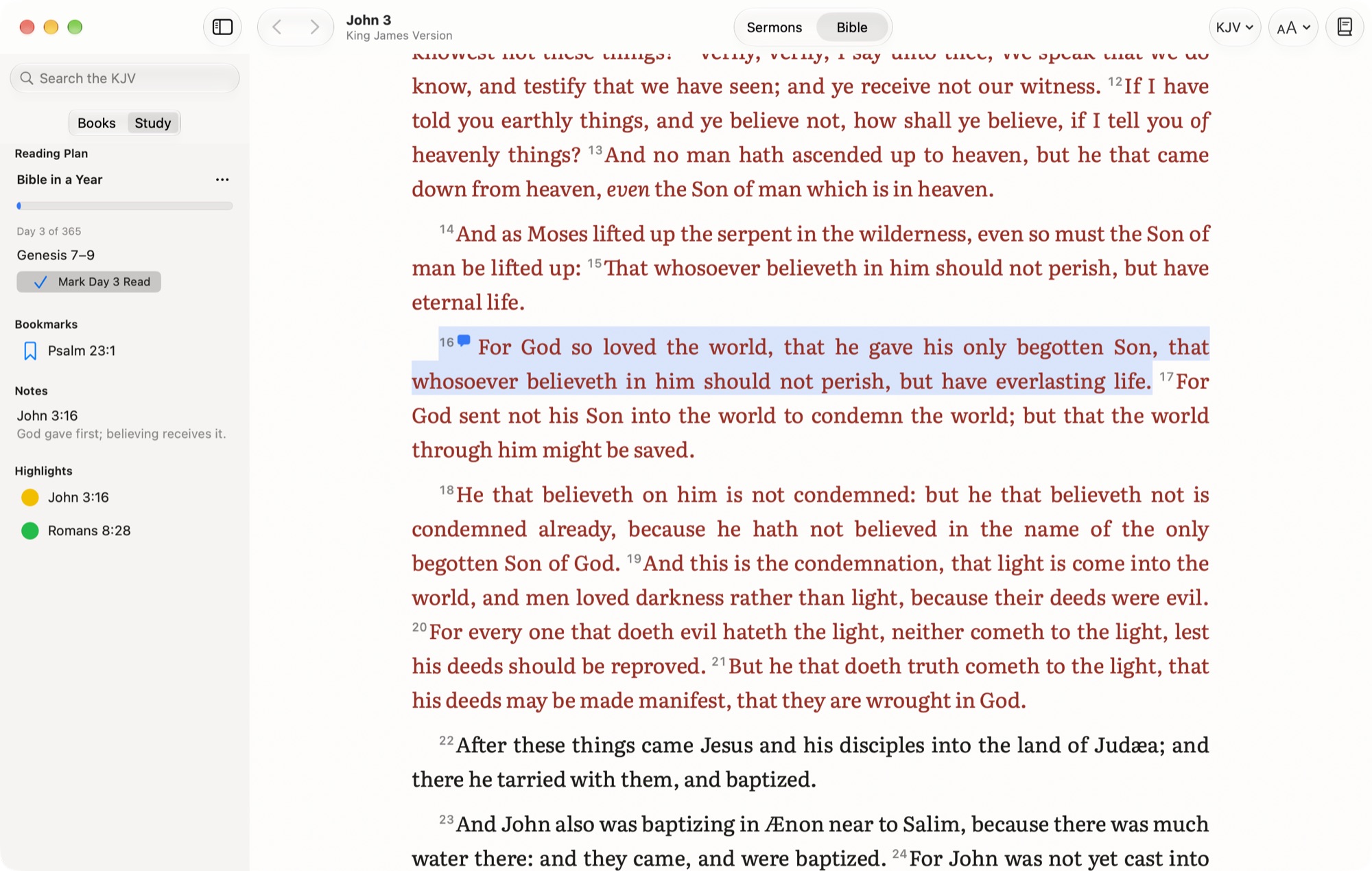
The Bible, open beside them
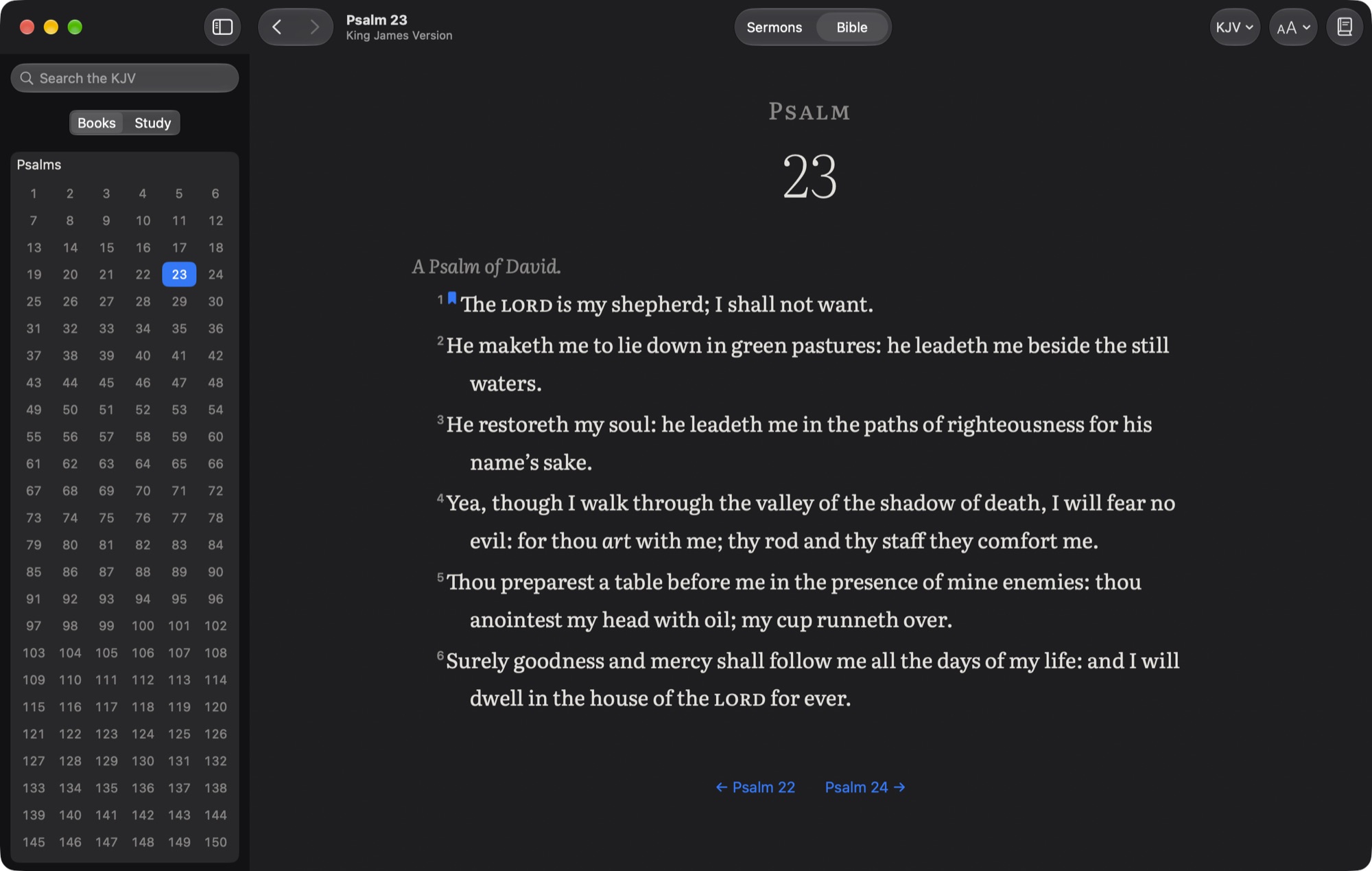
Seven public-domain translations come with the app, the KJV among them, and the NET, NLT and ESV load from their publishers. A reading in a sermon, such as Revelation 10:1–7, is a link, and a chapter lists the sermons that read from it.
- ⌘K goes to a passage the way you’d write it: jn 3:16, rom 8, jude 3.
- Search every word, an exact phrase, one testament or one book.
- Cross references for any verse, compare translations, or read two side by side.
- Highlights, notes, bookmarks and reading plans, kept on your Mac.
Ready for Sunday
Plan the service, then present it. Passages, quotes from the sermons and headings go in order, and the projector steps through them a verse or a paragraph at a time.
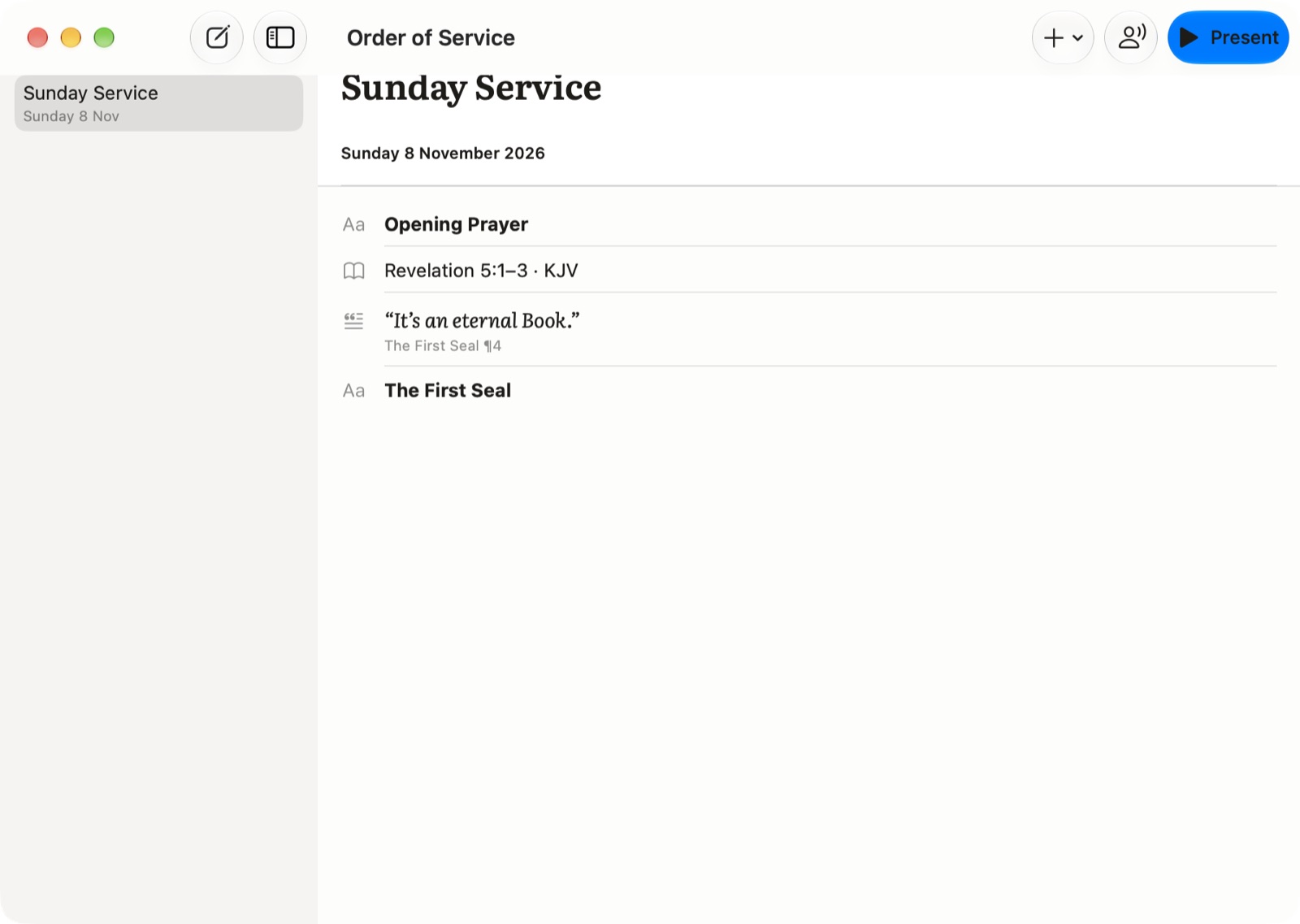
Add from anywhere
Right-click verses, sermon words or a highlight and choose Add to Service.
Speaker View
What the room sees, what comes next, the time, and a countdown that turns orange near the end.
On the livestream
A lower third over green or transparency, for OBS and other streaming software.
Your highlights, by subject
Name the six colours for what you study, such as Faith or The Seals. Every highlight from every sermon is filed under its colour with its note, and the whole list exports as a PDF.

Light, sepia or dark
Pick the paper and the whole window follows: sidebars, lists and sheets. Text size, red letters and one verse per line are a keystroke away.
Search like The Table
@65 for a year, @65-1212 for a day, @64-0401 59 to open paragraph 59.
On this day
Home shows the sermons preached on today’s date.
History
What you’ve read and what you’ve listened to, and Home shows how far you got.
Every language
Open a sermon in any of the languages it was translated into.
Your study, portable
Export highlights, notes and bookmarks as Markdown or JSON, and import them back.
Keyboard first
⌘K, ⌘J, J and K between verses, 1 to 6 to highlight. ⌘/ lists them all.
Private by design
No account, no analytics and no advertising. Your highlights, notes, history and plans stay on your Mac. The app asks the internet only for sermons, recordings and the Bible text it doesn’t carry.
Also on iPhone
The Message: Sermons & Bible brings the sermons, read-along and the Bible to iPhone.
Sermons and recordings come from The Message API. The bundled Bibles are public domain, from eBible.org. Cross references are from OpenBible.info (CC BY 4.0). Text is set in Literata (SIL Open Font License). The NET, NLT and ESV are used under their publishers’ terms, with their notices in the app.