Lumen for iPhone · Coming soon
Shoot. Develop. Create.
A manual camera, a RAW developer and a photo editor in one app, with 48 original Looks you can see in the viewfinder before you shoot.
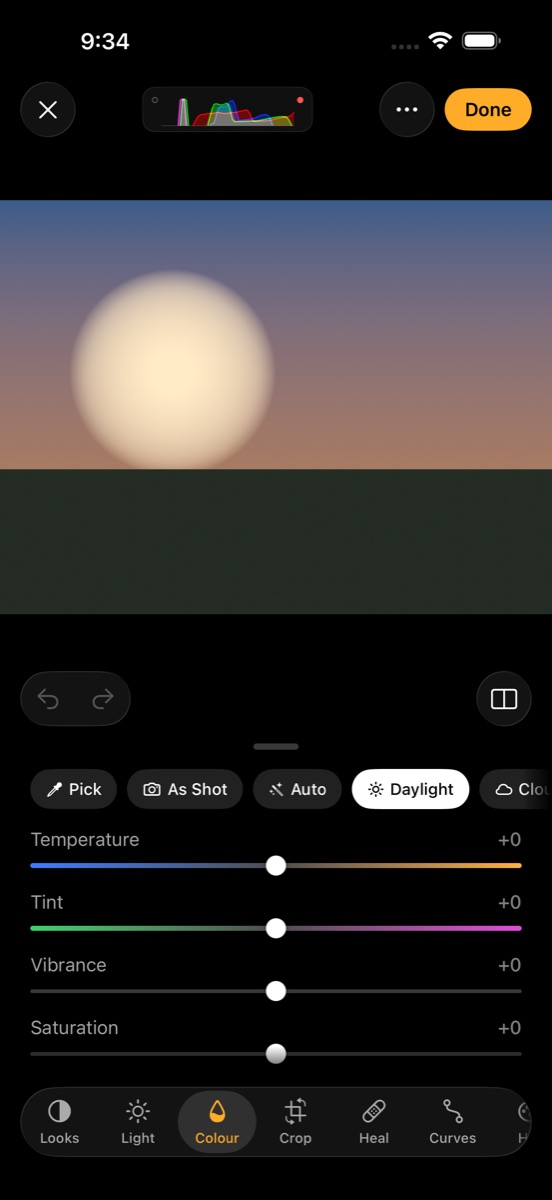
- No accountOpen it and shoot.
- No trackingNo analytics, no ads.
- OfflineMakes no network requests.
- Apple PhotosYour library, no import.
Camera
Every setting, yours to set.
Fix the shutter and Lumen finds the ISO. Fix the ISO and it finds the shutter. Fix both and you're in full manual. There's no mode dial to remember, and Lumen only shows what your iPhone's lenses can really do.
RAW your way
ProRAW or Bayer RAW, on its own or paired with HEIF or JPEG.
Spot and grey card
Drag the meter anywhere in the frame. Tap a grey card for exact white balance.
Size and frame
12, 24 or 48 MP, framed at 4:3, 3:2, 16:9 or 1:1, and undoable later.
Brackets to HDR
Shoot a bracket and Lumen aligns and merges it into one editable HDR photo.
Viewfinder aids
Histogram, zebras, focus peaking, clipping, a level and grids.
Camera Control
Slide to set exposure, change the Look or its strength.
Develop and edit
Develop the RAW, not the JPEG.
Lumen develops RAW files with Apple's RAW decoder, so you edit everything the sensor recorded. By default it adds no sharpening and no local tone mapping, which keeps the photo looking natural.
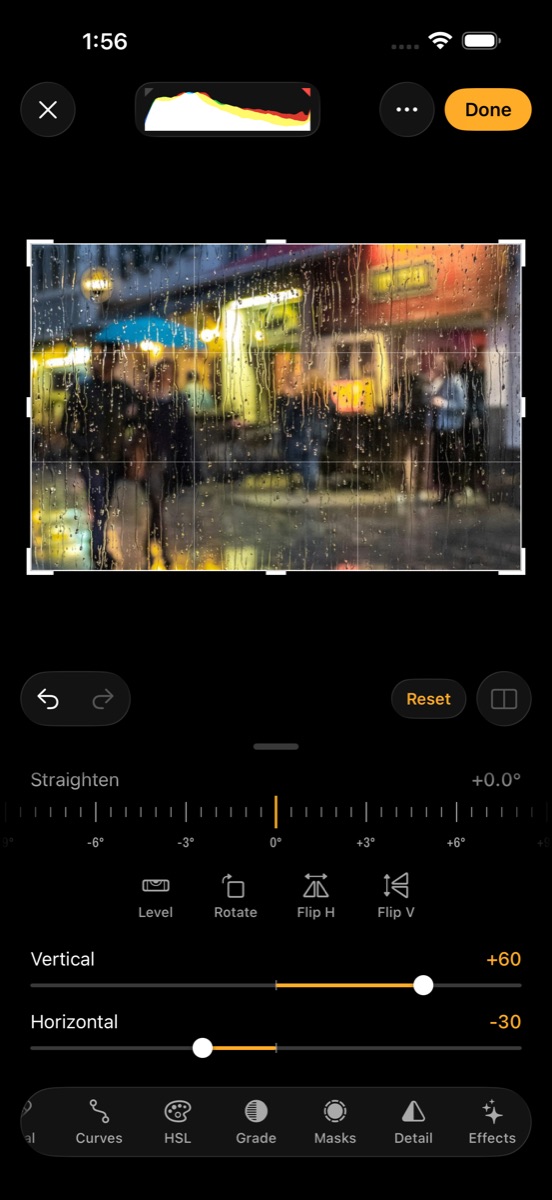
Then the full editor: curves, eight-band HSL, colour grading, perspective, heal and clone, and masks for the sky, a person or the subject. Edits are saved in Photos and the original is never touched.
Looks
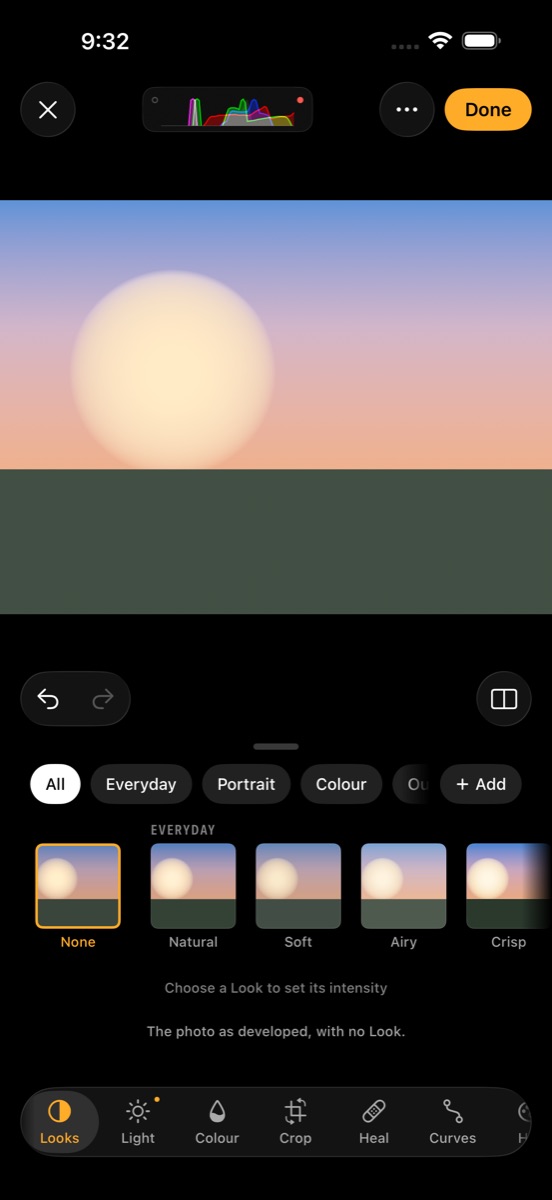
48 Looks, all original.
Each Look is a complete colour rendering with one strength slider. They're built so skin stays natural and bright colours roll off instead of clipping, and they stay editable after you shoot.
- EverydayNatural, Soft, Airy, Crisp, Lively
- PortraitPortrait, Glow, Porcelain, Bronze, Editorial
- ColourWarm, Cool, Golden, Dusk, Savour, Chrome, Pastel, Pop, Deep
- OutdoorTerrain, Meadow, Coast, Alpine, Dune
- UrbanAsphalt, Signal, Transit, Neon
- AnalogFade, Documentary, Linen, Ember, Postcard, Citrus
- CinemaCopper, Steel, Night, Lantern, Velvet, Mirage
- MonoMono, Pearl, Slate, Umber, Chalk, Ink, Infra, Frost
Make your own from any edit, or bring your own .cube LUTs.
Video
The same care, in motion.
4K or 1080p from 24 to 60 fps, with 120 and 240 fps in 1080p where your iPhone offers them. Bake the Look into the clip, or record clean and keep the Look for later.
ProRes Log
Apple Log in ProRes on iPhones that support it, or HEVC.
Waveform and false colour
Judge exposure properly, even in Log.
Pause and gain
Pause a take and resume it in the same file. Ride the audio gain mid-take.
Record to a drive
Plug in a USB-C drive and record straight to it.
Keeps rolling
If the drive fills or comes loose, recording carries on to the iPhone.
180° shutter
Shutter speed follows the frame rate on its own.
More
Ready when you are.
Shoot from the Lock Screen
Put Lumen Camera in Control Centre, on the Lock Screen or on the Action button.
Siri and Shortcuts
"Open Lumen in video mode." "Shoot with Golden in Lumen."
Cull fast
Swipe up to pick, down to reject. Stars, labels, stacks and side-by-side compare.
HDR photos
Single shots on auto exposure keep their highlights bright on HDR screens.
Export anything
JPEG, HEIF, PNG, 16-bit TIFF or AVIF, with or without location.
Batch edits
Apply a Look to a whole shoot, or paste one photo's edit onto the rest.
Private by design
Lumen collects nothing. There's no account, no analytics and no network access, so your photos never leave your iPhone unless you share them. Location is off until you turn it on. Privacy policy
Help
Guides to the camera, the editor and Looks, the Lock Screen camera, Shortcuts and recording to a drive are in Lumen Support. Or email bakari@bakarimustafa.com.
Screenshots are of Lumen in the iOS Simulator. Rainy street photo by Gil Ribeiro on Unsplash. Some features depend on your iPhone model. Lumen is made by Bakari Mustafa.